
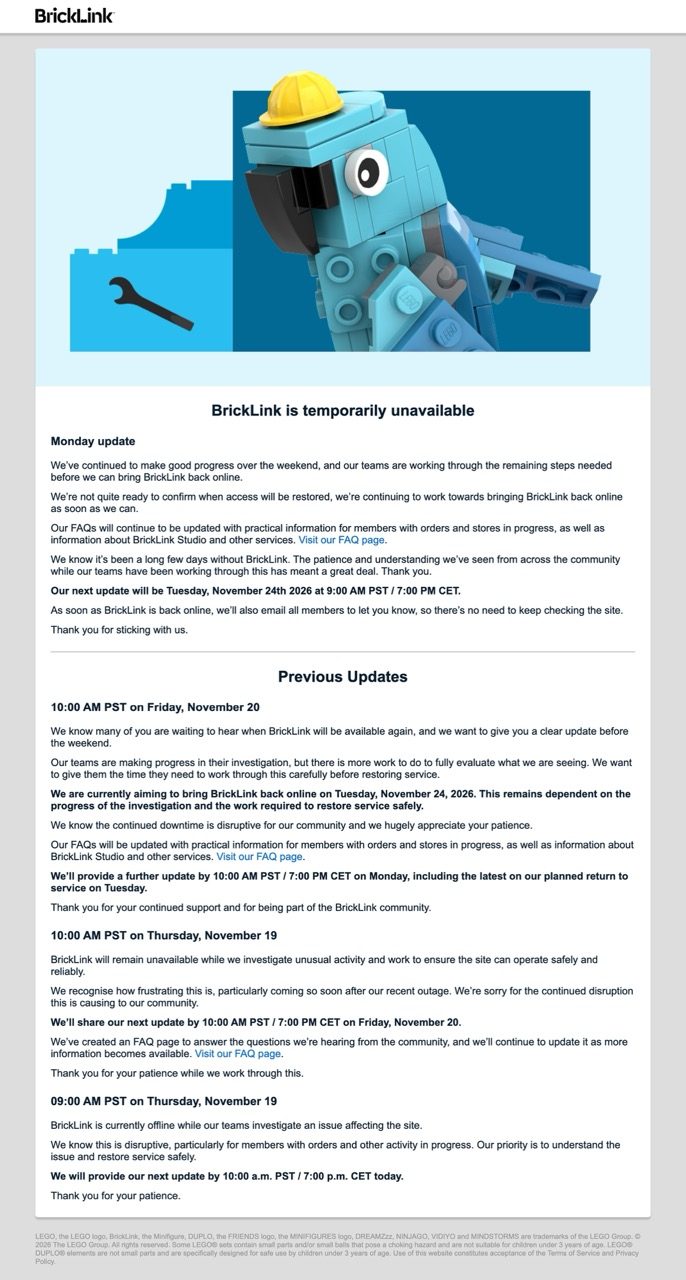
More BrickLink drama, but this time there's a target date. The LEGO® marketplace went dark again just one week after its return, and BrickLink now aims to bring it back online on Tuesday 24 November 2026. Its investigation found no access to passwords, payment information or any other sensitive data, sellers won't be penalised for the downtime, and BrickLink Studio still works with files saved on your computer. (Your parts orders will just have to wait a little longer.) The answers below cover everything buyers, sellers and builders need to know, taken from the BrickLink FAQ page.
When will BrickLink be back online?
BrickLink aims to return on Tuesday 24 November 2026, though the date still depends on how the investigation and restoration work go. The next official update is due at 19:00 CET on Tuesday, and every member will get an email once the site is back, so you don't need to keep refreshing.
Did anyone access sensitive member data?
No. BrickLink's investigation found no access to passwords, payment information, bank account details, national ID information or any other sensitive data. BrickLink says it will tell members if it finds that anyone reached personally identifiable data.
Why can't BrickLink keep part of the site running?
Many parts of BrickLink are so closely connected that working on one piece safely can mean switching everything off. BrickLink says the replatforming it's working on should let other services stay up in future, which would be a welcome upgrade.
I'm a seller. Will the outage hurt my store?
BrickLink plans to leave the outage out of response-time, feedback-window and vacation-mode calculations, so the downtime won't count against you. You don't need to do anything while the site is down. If a queued automated email turns up, such as a store-inactivity notice, and it concerns something you couldn't do during the outage, you can ignore it for now.
I'm a buyer with an order in progress. What happens now?
You can't view or update orders until the site returns. Some orders that sellers had already packed may still ship, while others will wait until BrickLink is back, so give sellers some extra time to catch up. If something is urgent, email the seller directly using the address in your order confirmation. Otherwise, wait and use BrickLink messaging once the site is up again.
Can I still use BrickLink Studio?
Yes. You can keep building models and making instructions with files saved on your computer. Signing in, My Studio, online brick data such as prices and colour checks, importing LEGO® sets as a palette and the Studio Gallery all need the site to be back.
Is my BrickLink Designer Program order affected?
No. LEGO.com handles BrickLink Designer Program orders, so contact LEGO.com Customer Service if you have a problem with one. Series 8 instructions are in the LEGO® Builder app, or you can download them directly:
- 910064 Dustmark Keep
- 910065 Coconut Cape
- 910066 Brick Railroad Locomotive
- 910067 Hot Air Balloon
- 910068 University of Science
How do I avoid fake BrickLink emails?
BrickLink will only contact you through its official channels. If an email claims to come from BrickLink and you're not sure it's real, don't reply, click its links or open attachments, and contact BrickLink Support directly. Never share your password or payment details by email.
What if something looks wrong once BrickLink returns?
Contact BrickLink Support with as much detail as you can about the problem with your account, inventory or orders. Then go and build something while you wait. Which Series 8 set is on your table this week?

Comments
Join the Conversation
Sign in to post your thoughts, read comments from fellow brick fans, and stay up to date with builder updates.
We ask members to sign in because it keeps the community safe and creates a better experience for everyone.